When choosing a book to focus on for the book study, I was really drawn to Classroom Management in the Digital Age by Heather Dowd and Patrick Green. This book discusses ways to set up, organize, and use digital tools in the classroom. This is something all teachers can use.
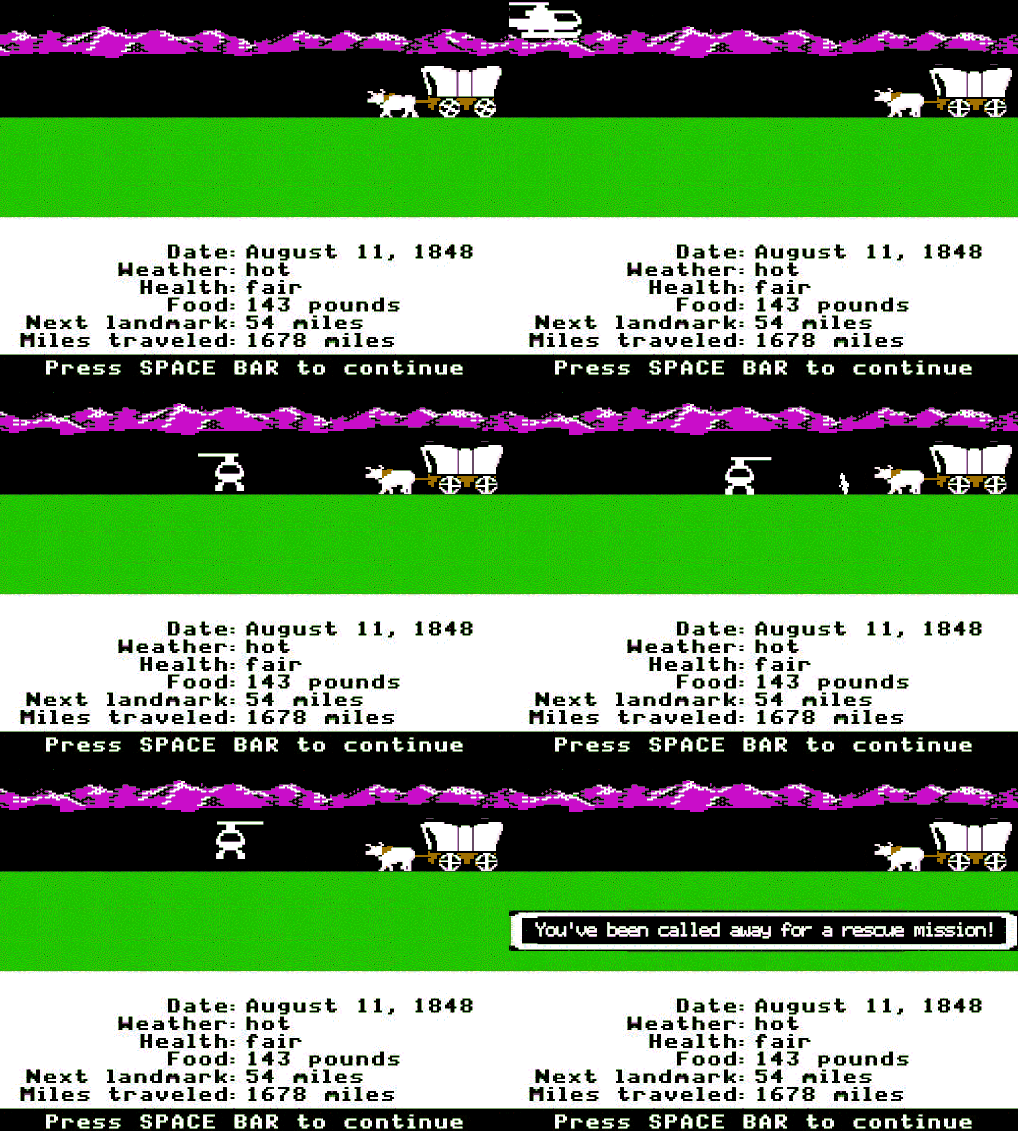
I can remember sitting in elementary school and for computer time I would insert a floppy disk into the drive and play Oregon Trail.
Raise your hand if you remember that! The world of technology has changed dramatically since the days of floppy disks and bulky desktops. While new technology can bring fun ideas and integration it is not without its challenges. It is important for teachers to embrace technology but also utilize it in a way that is efficient, effective, and conducive to learning. In order for students to be successful with technology in the classroom it needs to be managed with procedures, rules, expectations, and creative strategies used by the teacher to engage them and help their learning thrive in a connected classroom. Zilka (2020) states, “children and teenagers today are exposed to a large range of sources and channels of information”. Therefore it is important to establish acceptable use and provide students with skills that foster their creativity and productivity in a safe and effective way.
My Classroom
Having a set of procedures/routines is important for any classroom. At the beginning of each year I assign students a number for their Chromebook. This helps easily identify who the device belongs to if a problem occurs. We then have a discussion about how to care for our technology. We discuss topics like how to carry them, how to store them, and how to charge them. We go through how to type on them and plug in our headphones properly. First graders are rough on technology so these tips are so important to instill early on and ones that I keep revisiting all year long. According to Dowd and Green (2016), “digital devices are so powerfully versatile, they literally open a whole world of possibilities” (p. 15). Having clear procedures/routines in a digital classroom gives students clear instructions of what can be done with their device at appropriate times and not become distractions.

A 1:1 classroom can be overwhelming and chaotic if you allow it to be. So whether you are a novice or expert teacher, make a plan for using your technology. Establish classroom procedures, set rules and expectations, ensure that you are using engaging strategies and tips, and communicate your vision and plan to parents. A well managed classroom allows for effective and efficient learning that empowers students to be the best version of themselves in the 21st century.
Dowd, H. & Green, P. (2016). Classroom management in the digital age: Effective practices for technology-rich learning spaces. Dowd Green Edu
Giphy. Oregon Trail 90’s GIF. https://media.giphy.com/media/oBnPNTFiamsFO/giphy.gif
Giphy. Pop Tv GIF By Schitt's Creek. https://media.giphy.com/media/UqSsqmWboRpq6luozJ/giphy.gif
Zilka, G. C. (2020). Teenagers connected to digital environments -- what happens when they get to school? Commonalities, similarities and differences from their perspective. Education and Information Technologies, 25(3), 1743–1758
Hey Erika! I'm so glad you reiterated the importance of maintaining balance with technology. That is so important! Sometimes we get bogged down and want to just do what's easiest for us but it seems like you have some awesome strategies as far as your mini lessons and teaching good digital citizenship well in advance. I think you would also really enjoy reading the InterACTIVE class too! Chapter 6 gives some great advice on how to easily communicate with parents. One tool that really stood out to me was a mail server called MailChimp where you can personalize weekly flyers and newsletters with images and video clips. I also really liked the idea of making little magnets to give to the parents with your contact info, picture and maybe adding a QR code so that parents can scan that and get a quick class update right from their fridge (Miller & Miller, 2019). Something to think about if you need any new ideas! It's also crucial that we effectively manage our digital classrooms, something that can become very overwhelming. But if we are able to take the time to show our students our expectations as well as modeling them ourselves when we are grading and commenting, they will learn to appreciate being digitally responsible if we remain consistent (Turner & Hicks, 2017).
ReplyDeleteMiller, J., & Miller, K. (2019). The interactive class: Using technology to make learning more relevant and engaging in the elementary classroom. ElevateBooksEdu.
Turner, K. H., & Hicks, T. (2017). Teaching adolescents to read and write digital texts: Argument in the real world. Heinemann.
I messed up my citations...It should have been this (not Miller & Miller):
ReplyDelete(Merrill & Merril, 2019).
Merrill, J., & Merrill, K. (2019). The interactive class: Using technology to make learning more relevant and engaging in the elementary classroom. ElevateBooksEdu.
Ohhh Oregon Trail and your dysentery! I don't even know if kids now would understand how to look at the graphics of this classic game! It is amazing how far technology has come, especially using technology in the classroom. My group focused on The InterACTIVE Class: Using Technology to Make Learning More Relevant and Engaging in the Elementary Classroom by John and Kristin Merrill and it was incredibly eye opening. An interACTIVE class isn't one that is all technology and digital all the time but it is one that truly centered around its students and building capacity in them (Merrill & Merrill, 2020). They believe in empowering students and creating a classroom where "students see themselves" (Merrill & Merrill, 2020, p. 14). I think this can directly relate to the book your group read based off of the fact that you said: "In order for students to be successful with technology in the classroom it needs to be managed with procedures, rules, expectations, and creative strategies used by the teacher to engage them and help their learning thrive in a connected classroom". Student engagement is one part of creating an interactive classroom and "classrooms should offer specific parameters to help guide and support student learning" (Miller & Miller, 2020, p. 14). This also coincides with teaching students to create digital argument: there must be parameters. According to Turner and Hicks (2017), "arguments in the digital world could be one of our greatest opportunities to improve dialogue" (p. 7).
ReplyDeleteReferences
Merrill, J., & Merrill, K. (2020). The interactive class: Using technology to make learning more relevant and engaging in the elementary classroom. Elevate Books Edu.
Turner, H. K., & Hicks, T. (2017). Argument in the real world: Teaching adolescents to read and write digital texts. Heinemann.